
Download Hard Disk Sentinel — setup checklist and first-run notes
Download Hard Disk Sentinel
Use trusted app sources and verify what you install. This page focuses on a safe setup checklist and what to do right after installation.
Avoid unknown mirrors and unsigned packages. Keep installers from a source you trust and validate checksums when available.
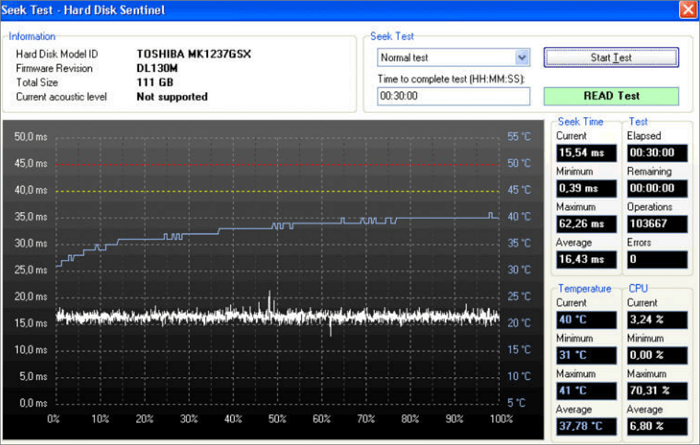
Right after install—five minutes well spent
Now make the first session reproducible when something changes six months later.
- Finish first poll before comparing temperatures—early samples often wobble.
- Note firmware & model strings for each disk; paste into your baseline file from the first-month guide.
- Confirm backup software still runs—monitoring does not replace scheduled jobs.
- Set one conservative alert you will actually read (temperature or health), then tune after a week of normal use.
- Save install notes so updates stay predictable and repeatable.